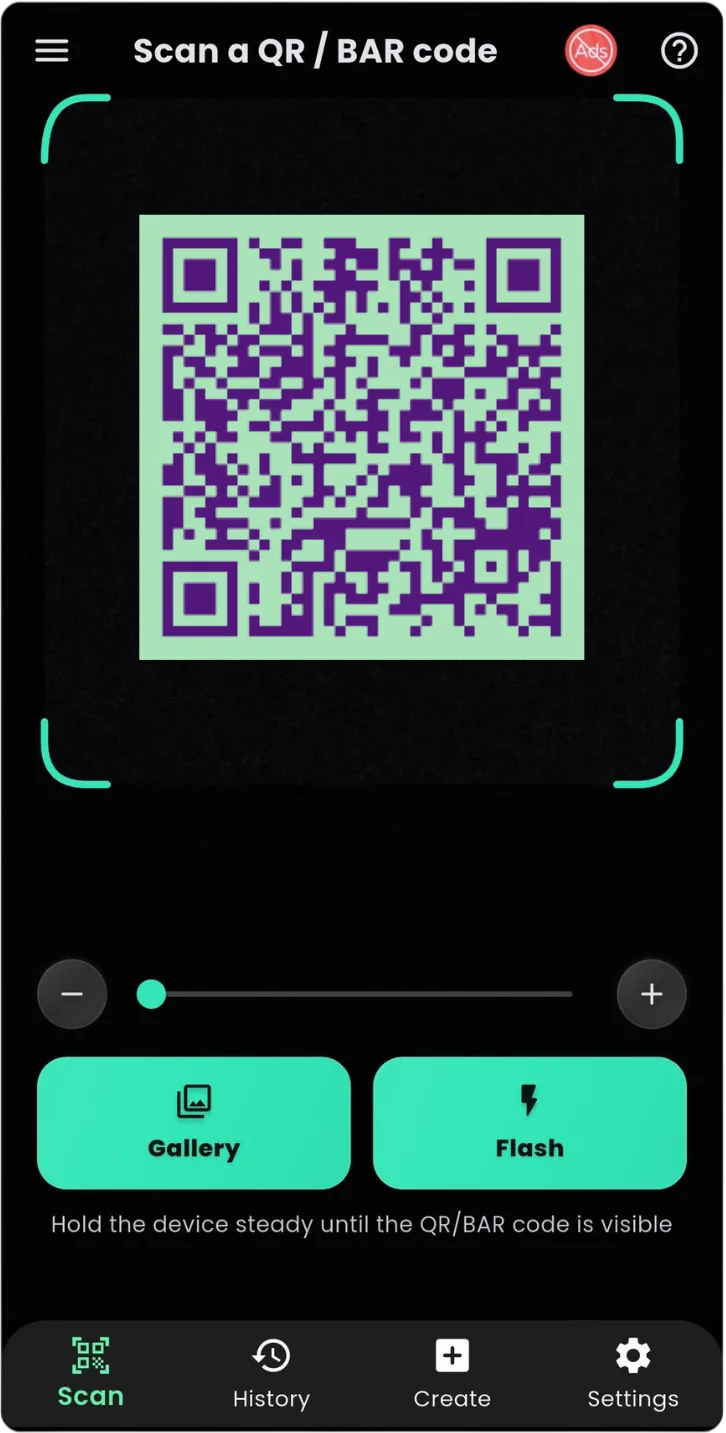
QR Scanner: WiFi & Barcode - A Simple QR Code Scanner for Android
QR codes have become one of the fastest ways to access digital information. From connecting to WiFi networks and opening websites to checking product details, QR codes are now used everywhere.
Instead of typing long links, passwords, or product numbers manually, you can simply scan a QR code using your smartphone.
QR Scanner: WiFi & Barcode is designed for Android users who want a fast and convenient way to scan QR codes, read barcodes, and access information instantly.
What Is QR Scanner: WiFi & Barcode?
QR Scanner: WiFi & Barcode is an Android application that allows users to scan different types of digital codes using their phone camera.
The app helps users quickly access information stored inside QR codes and barcodes.
You can use it for:
- WiFi QR codes
- Website links
- Product barcodes
- Text information
- Digital content
- Everyday scanning tasks
A dedicated QR scanner app for Android makes scanning faster and more convenient than manually entering information.
Scan WiFi QR Codes Without Typing Passwords
One of the most useful features of QR technology is WiFi sharing.
Many people struggle with entering long and complicated WiFi passwords.
With a WiFi QR code scanner, connecting becomes easier.
Instead of typing:
- Long passwords
- Special characters
- Complex network names
Users can simply scan a WiFi QR code and access network information quickly.
This is useful at:
- Homes
- Offices
- Cafes
- Hotels
- Public places
How Does WiFi QR Code Scanning Work?
A WiFi QR code contains network information such as:
- WiFi name (SSID)
- Password
- Security type
When scanned, the QR scanner reads the information and helps you connect more easily.
The process is simple:
- Open QR Scanner: WiFi & Barcode.
- Point your camera toward the QR code.
- Let the app recognize the code.
- View the scanned information.
No manual typing is required.
Scan Barcodes Quickly Using Your Android Phone
Besides QR codes, many products use traditional barcodes to store information.
A barcode scanner app helps users read these codes quickly.
Barcode scanning can be useful for:
- Product identification
- Shopping
- Inventory management
- Checking item information
Your smartphone can become a convenient barcode reader without requiring additional hardware.
Why Use a Dedicated QR Scanner App?
Modern Android phones may include basic QR scanning features, but a dedicated scanner app provides a focused experience.
Benefits include:
Faster Scanning
A dedicated QR reader is designed specifically for recognizing codes quickly.
Multiple Scanning Options
Scan different types of codes from one application.
Easy Access
Open the app whenever you need to scan something.
Everyday Convenience
Use it for home, work, shopping, and travel.
Common Uses of QR Scanner: WiFi & Barcode
1. Connect to WiFi Faster
Share and access WiFi networks without manually entering passwords.
2. Open Website Links
Scan QR codes from:
- Posters
- Flyers
- Business cards
- Advertisements
and open websites instantly.
3. Scan Product Barcodes
Access product-related information using barcode scanning.
4. Share Digital Information
QR codes can store:
- Contact details
- Text
- Locations
- Online resources
5. Access Event Information
Many events use QR codes for:
- Tickets
- Registration
- Digital passes
QR Scanner: WiFi & Barcode Features
The app provides useful scanning features for everyday Android users.
Features include:
✓ QR code scanning
✓ Barcode reading
✓ WiFi QR scanning
✓ Fast camera scanning
✓ Simple and easy interface
✓ Quick access to scanned information
Why QR Codes Are Becoming More Popular
QR codes are replacing many traditional methods because they are:
Fast
Information can be accessed instantly.
Convenient
Users only need a smartphone camera.
Flexible
QR codes can store different types of information.
Easy to Share
Businesses and individuals can create QR codes easily.
How to Use QR Scanner: WiFi & Barcode
Getting started is simple:
Step 1:
Download QR Scanner: WiFi & Barcode from Google Play.
Step 2:
Open the application.
Step 3:
Allow camera access permission.
Step 4:
Point your camera at any QR code or barcode.
Step 5:
View the scanned result.
Download the app here:
👉 QR Scanner: WiFi & Barcode
https://play.google.com/store/apps/details?id=com.byteblazestudios.qrcodescanner&hl=en
Who Should Use QR Scanner: WiFi & Barcode?
This app is useful for:
Students
Quickly access learning materials and online resources.
Travelers
Scan digital information while visiting new places.
Business Owners
Use QR codes for products and customer interactions.
Everyday Smartphone Users
Quickly scan codes whenever needed.
Frequently Asked Questions
Can QR Scanner: WiFi & Barcode scan WiFi QR codes?
Yes. The app is designed to help users scan QR codes containing WiFi information.
Can it scan product barcodes?
Yes. It supports barcode scanning for everyday uses.
Do QR scanners need internet?
Scanning itself usually does not require internet. Internet may only be needed when opening online content from a scanned result.
Can Android phones scan QR codes?
Yes. Android users can scan QR codes using dedicated QR scanner apps.
Final Thoughts
QR codes and barcodes have made accessing information faster than ever. Whether you want to connect to WiFi, check product information, or open digital content, a reliable scanner app makes the process easier.
QR Scanner: WiFi & Barcode provides Android users with a simple way to scan QR codes and barcodes anytime.
Download now:
👉 QR Scanner: WiFi & Barcode
https://play.google.com/store/apps/details?id=com.byteblazestudios.qrcodescanner&hl=en
Scan smarter. Access information faster.