QR Code Scanner Guide: How to Scan QR Codes, Barcodes & Generate QR Codes Like a Pro
QR codes have become an essential part of everyday life. Whether you're making a digital payment, joining a Wi-Fi network, viewing a restaurant menu, downloading an app, or checking product information, chances are you've scanned a QR code recently.
At the same time, traditional barcodes remain the global standard for inventory management, retail stores, logistics, and product identification.
In this guide, you'll learn everything about QR codes and barcodes, including how they work, how to scan them safely, how to generate your own QR codes, and what features to look for in a modern QR code scanner app.
What Is a QR Code?
A QR (Quick Response) Code is a two-dimensional barcode that stores information in a grid of black and white squares.
Unlike traditional barcodes that store data horizontally, QR codes can store information both horizontally and vertically, allowing them to contain much more data.
A QR code can contain:
- Website URLs
- Contact information
- Email addresses
- Phone numbers
- SMS messages
- Wi-Fi passwords
- Geographic locations
- Calendar events
- Product information
- Payment information
- Plain text
Because QR codes can store thousands of characters, they are widely used across industries.
What Is a Barcode?
A barcode is a machine-readable representation of data using vertical black bars.
Barcodes are commonly found on:
- Grocery products
- Electronics
- Books
- Medical equipment
- Shipping labels
- Warehouse inventory
- Retail products
Unlike QR codes, traditional barcodes generally store only a limited amount of information, usually a product number or identification code.
QR Code vs Barcode
| Feature | QR Code | Barcode |
|---|---|---|
| Stores more data | ✅ | ❌ |
| Can store URLs | ✅ | ❌ |
| Supports contact details | ✅ | ❌ |
| Works even when partially damaged | ✅ | Limited |
| Scan direction | Any angle | Usually horizontal |
| Most common use | Digital information | Product identification |
Where Are QR Codes Used?
Today QR codes appear almost everywhere.
Common uses include:
- Restaurant menus
- Product packaging
- Business cards
- Digital payments
- Event tickets
- Boarding passes
- Wi-Fi sharing
- Social media profiles
- App downloads
- Product authentication
- Online forms
- Educational resources
Businesses increasingly rely on QR codes because they simplify customer interactions while reducing printed materials.
How to Scan a QR Code
Scanning a QR code is simple.
- Open your QR code scanner.
- Point your camera toward the QR code.
- Hold the phone steady.
- Wait for automatic detection.
- Tap the detected result.
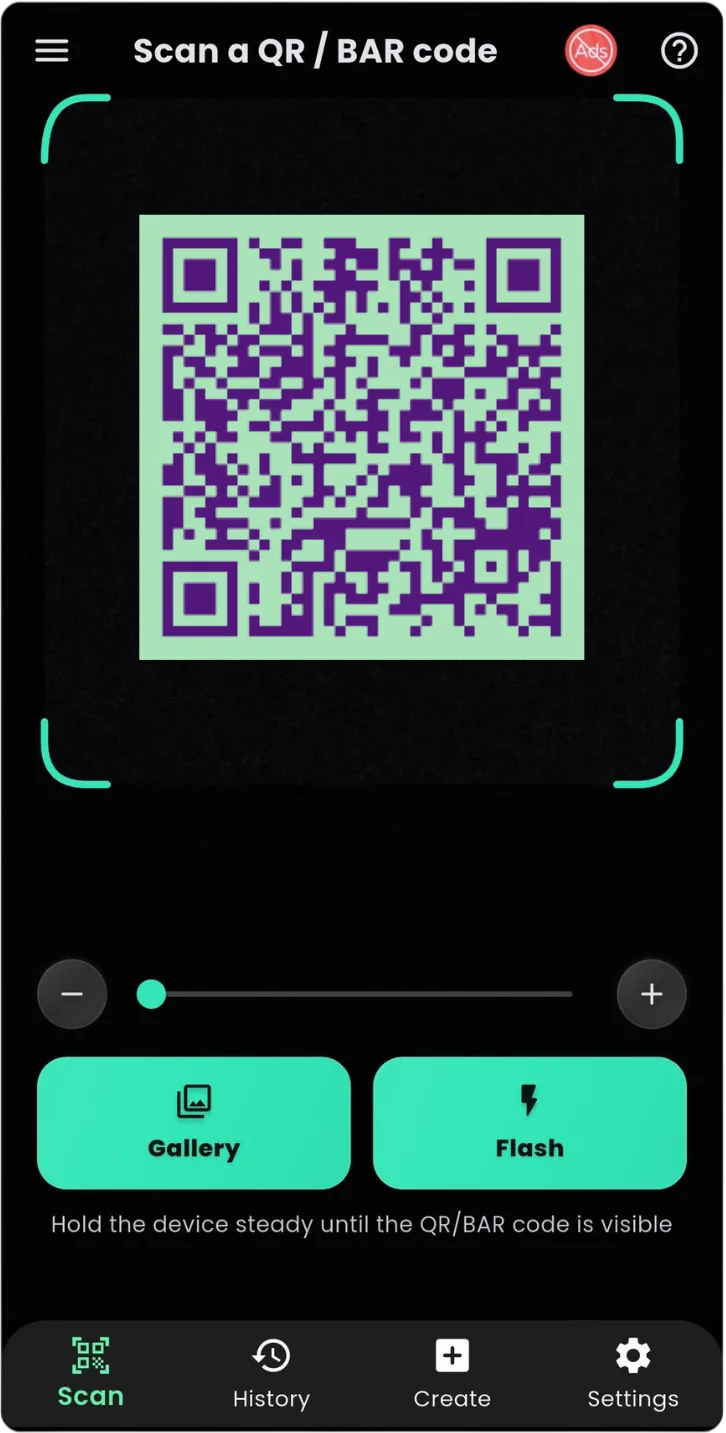
Modern QR scanner apps automatically recognize the code without requiring you to press a capture button.
How to Scan a Barcode
The process is almost identical.
Simply open your barcode scanner and point the camera at the product barcode.
The scanner decodes the barcode and displays the stored product information or identification number.
Many modern scanner apps support dozens of barcode formats in addition to QR codes.
Common QR Code Formats
Modern QR scanner apps typically support:
- QR Code
- Data Matrix
- Aztec
- PDF417
- MaxiCode
- Micro QR
Common Barcode Formats
Popular barcode types include:
- EAN-13
- EAN-8
- UPC-A
- UPC-E
- Code 39
- Code 93
- Code 128
- ITF
- Codabar
Support for multiple barcode formats makes one app suitable for both personal and business use.
Can You Generate QR Codes?
Yes.
QR code generators allow you to create codes for many purposes.
You can generate QR codes for:
- Websites
- Phone numbers
- Email addresses
- SMS
- Wi-Fi
- Contacts
- Text
- Maps
- Social profiles
Generating QR codes is useful for businesses, students, teachers, marketers, and everyday smartphone users.
Why Businesses Use QR Codes
QR codes have transformed customer engagement.
Businesses use them to:
- Direct customers to websites
- Share promotional offers
- Display product information
- Collect customer feedback
- Enable digital payments
- Track marketing campaigns
- Provide user manuals
- Share restaurant menus
Instead of typing long URLs, customers simply scan and access information instantly.
Are QR Codes Safe?
QR codes themselves are safe.
However, scammers sometimes place malicious QR codes in public places.
To stay safe:
- Verify the destination before opening it.
- Avoid unknown payment requests.
- Be cautious with shortened links.
- Never enter passwords on suspicious websites.
- Download apps only from trusted stores.
- Use a QR scanner that previews links before opening them.
Being cautious helps protect your personal information.
Benefits of Using a Dedicated QR Scanner App
Although many smartphones include built-in scanning, dedicated QR scanner apps often provide additional features.
Useful features include:
- Faster scanning
- Better low-light performance
- Scan history
- Favorite scans
- Flashlight support
- Barcode recognition
- QR code generation
- Image scanning
- Offline scanning
- Share results
- Copy scanned content instantly
These features improve productivity for both personal and professional users.
Choosing the Best QR Code Scanner
When selecting a QR scanner, look for:
- Fast detection speed
- Accurate scanning
- Barcode support
- QR code generation
- History management
- Clean interface
- Dark mode
- Flashlight support
- No unnecessary permissions
- Regular updates
A reliable scanner should work quickly while respecting user privacy.
Tips for Better QR Code Scanning
If a code doesn't scan immediately:
- Increase room lighting.
- Clean your camera lens.
- Hold your phone steady.
- Move closer or farther away.
- Avoid reflections.
- Ensure the QR code isn't blurry.
- Use the flashlight in dark environments.
These simple adjustments solve most scanning problems.
The Future of QR Codes
QR codes continue to expand into new industries.
Future applications include:
- Digital identity
- Smart packaging
- Healthcare
- Logistics
- Contactless payments
- Product authentication
- Public transportation
- Smart cities
- Event management
- Education
As smartphones become even more capable, QR technology will continue to play a central role in digital communication.
Frequently Asked Questions
Can I scan QR codes without internet?
Yes. The scanning process works offline. However, opening a website contained in the QR code requires an internet connection.
Can QR codes expire?
Static QR codes generally do not expire. Dynamic QR codes may stop working if the service managing them becomes inactive.
Do QR codes work on every smartphone?
Most modern Android and iPhone devices support QR code scanning either through the camera app or a dedicated scanner application.
Can I create QR codes for free?
Yes. Many QR code generators allow you to create website, Wi-Fi, contact, text, and phone QR codes at no cost.
Can one app scan both QR codes and barcodes?
Yes. Many modern scanner apps support QR codes together with popular barcode formats like EAN, UPC, Code 128, and Code 39.