How to Scan QR Codes on Android: A Complete Beginner Guide
QR codes have become a part of everyday life. From restaurant menus and payment systems to product information and website links, QR codes provide a fast way to access digital information.
Instead of manually typing long website addresses or searching for information, users can simply scan a QR code using their smartphone camera.
For Android users, a dedicated QR code scanner app makes this process faster and more convenient.
In this guide, we will explain what QR codes are, how they work, and how you can scan them easily using your Android device.
What Is a QR Code?
A QR code (Quick Response code) is a type of two-dimensional barcode that stores information in a visual pattern.
Unlike traditional barcodes that usually store limited product information, QR codes can contain different types of data, including:
- Website links
- Text messages
- Contact information
- Wi-Fi details
- Product information
- App links
- Digital tickets
When scanned, the QR code reader converts the pattern into readable information.
How Do QR Codes Work?
QR codes contain small black and white squares arranged in a specific pattern.
When you scan a QR code:
- Your phone camera captures the code.
- The QR scanner analyzes the pattern.
- The app identifies the stored information.
- The result appears on your screen.
For example, a QR code containing a website link can instantly open the webpage in your browser.
How to Scan a QR Code on Android
Scanning a QR code on Android is simple.
Follow these steps:
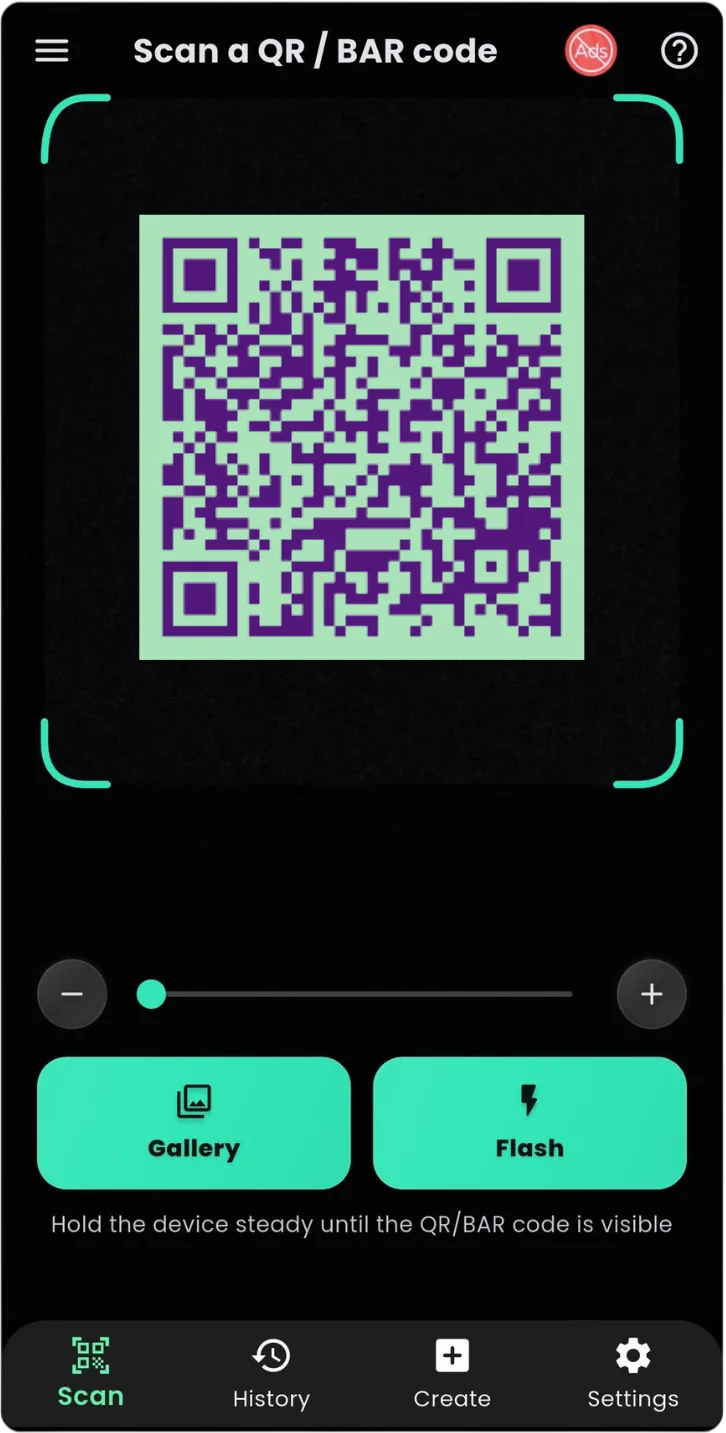
Step 1: Open a QR Code Scanner App
Open a trusted QR scanner app for Android.
A dedicated scanner provides faster access and additional features compared with manually searching for QR tools.
Step 2: Point Your Camera at the QR Code
Hold your phone so the QR code appears clearly inside the scanner area.
Make sure:
- The code is visible
- Your camera is focused
- There is enough lighting
Step 3: View the Result
After scanning, the app will detect the information stored inside the QR code.
Depending on the type of QR code, you may be able to:
- Open a website
- Copy text
- Connect to Wi-Fi
- Save contact information
- View product details
Why Use a QR Code Scanner App?
While some phones have built-in QR scanning features, a dedicated QR code reader app provides a more focused experience.
A QR scanner app can help users:
Scan QR Codes Faster
A dedicated scanner is designed specifically for recognizing QR codes quickly.
Scan Different Types of Codes
QR codes are not the only type of digital code.
A barcode scanner app can help read different barcode formats used for products and information.
Keep Scan History
Many scanner apps allow users to access previous scans instead of searching again.
Scan in Different Situations
A QR scanner can be useful for:
- Shopping
- Education
- Business
- Travel
- Events
- Digital payments
Common Uses of QR Codes Today
Restaurant Menus
Many restaurants use QR codes to provide digital menus.
Customers can scan the code and view menu items directly on their phones.
Wi-Fi Sharing
QR codes make sharing Wi-Fi information easier.
Instead of typing complicated passwords, users can scan a code and connect quickly.
Product Information
Many products include QR codes that provide:
- Product details
- Instructions
- Website links
- Verification information
Digital Payments
QR codes are widely used for quick payment systems around the world.
They allow users to access payment information without manually entering details.
Contact Sharing
QR codes can store contact information.
Users can share details like:
- Name
- Phone number
- Website
with a simple scan.
Smart QR Scanner: Simple QR Code and Barcode Scanning
If you are looking for a simple QR code scanner app for Android, Smart QR Scanner & Barcode Reader provides an easy way to scan codes quickly.
The app is designed for users who need a convenient scanner for everyday tasks.
Features include:
✓ QR code scanning
✓ Barcode reading
✓ Fast camera scanning
✓ Easy result access
✓ Simple user interface
✓ Scan history management
Download Smart QR Scanner from Google Play:
👉 Smart QR Scanner & Barcode Reader
https://play.google.com/store/apps/details?id=com.byteblazestudios.qrcodescanner&hl=en
QR Code Scanner vs Manual Searching
| Manual Searching | QR Scanner App |
|---|---|
| Type URLs manually | Scan instantly |
| More chances of mistakes | Automatic detection |
| Takes more time | Quick access |
| Difficult for long links | Opens information easily |
QR codes are designed to make accessing information faster.
Tips for Better QR Code Scanning
Keep the Camera Steady
Movement can make scanning slower.
Use Good Lighting
Bright environments improve recognition.
Clean Your Camera Lens
A dirty lens can affect scanning quality.
Avoid Suspicious QR Codes
Always check the destination before opening unknown links.
Frequently Asked Questions
What is the best QR code scanner app for Android?
A good QR scanner app should provide fast scanning, simple controls, and reliable results.
Can Android phones scan QR codes?
Yes. Most modern Android devices can scan QR codes using camera features or dedicated scanner apps.
Can QR scanners read barcodes?
Many QR scanner apps also support barcode scanning for products and other information.
Do QR codes require internet?
The scanning process itself usually does not require internet. However, opening online content from a QR code may require an internet connection.
Final Thoughts
QR codes have made accessing digital information faster than ever. From websites and payments to products and Wi-Fi sharing, QR codes are now used in many areas of daily life.
A reliable QR code scanner app for Android makes scanning simple and convenient.
If you want a quick and easy way to scan QR codes and barcodes, try:
📱 Smart QR Scanner & Barcode Reader
Download now:
👉 https://play.google.com/store/apps/details?id=com.byteblazestudios.qrcodescanner&hl=en
Start scanning smarter today.