How to Scan Product Barcodes on Android: A Complete Guide
Shopping has become smarter with modern technology. Today, many products contain barcodes and QR codes that provide useful digital information within seconds.
Instead of manually searching for product details, users can simply scan a barcode using their smartphone.
A barcode scanner app for Android makes it easier to read product codes, access information, and manage digital data quickly.
In this guide, we will explain what product barcodes are, how barcode scanning works, and how you can use your Android phone as a barcode reader.
What Is a Product Barcode?
A barcode is a visual code made of lines, numbers, or patterns that stores information about a product.
Businesses use barcodes to identify products quickly and accurately.
Common barcode types include:
- UPC barcodes
- EAN barcodes
- Code 128
- QR codes
When scanned, a barcode reader converts the pattern into useful information.
How Does Barcode Scanning Work?
Barcode scanning uses your smartphone camera to capture the code.
The process is simple:
- Open a barcode scanner app.
- Point your camera toward the barcode.
- The app analyzes the code.
- The stored information appears.
Modern Android devices can quickly recognize many types of digital codes using a dedicated scanner application.
Why Use a Barcode Scanner App on Android?
A dedicated barcode reader app provides several advantages compared with manually searching product information.
1. Faster Product Scanning
Typing product names manually can take time.
A barcode scanner allows you to instantly capture information by pointing your camera at the product code.
This is useful when:
- Shopping
- Comparing products
- Checking inventory
- Managing items
2. Avoid Manual Searching Errors
Product names can sometimes be difficult to type correctly.
A barcode scan provides a direct way to identify products without spelling mistakes or incomplete information.
3. Convenient Shopping Experience
Barcode scanners can make shopping easier.
You can use them to:
- Check product codes
- Open related links
- Access additional information
- Compare details
Your smartphone becomes a useful shopping assistant.
QR Codes vs Barcodes: What Is the Difference?
Many people confuse QR codes and traditional barcodes.
| QR Code | Barcode |
|---|---|
| Two-dimensional pattern | Usually one-dimensional lines |
| Stores more information | Stores product identifiers |
| Can contain links and text | Commonly used for products |
| Scanned by camera apps | Scanned by barcode readers |
Both technologies help users access information quickly.
Common Uses of Barcode Scanner Apps
Shopping
Barcode scanning helps users identify products and access information quickly.
Inventory Management
Businesses use barcode scanners to track products and manage stock.
Product Information
Barcodes can connect physical products with digital information.
Organization
People can use scanning tools to organize personal collections, documents, and items.
Smart QR Scanner: QR Code and Barcode Reader for Android
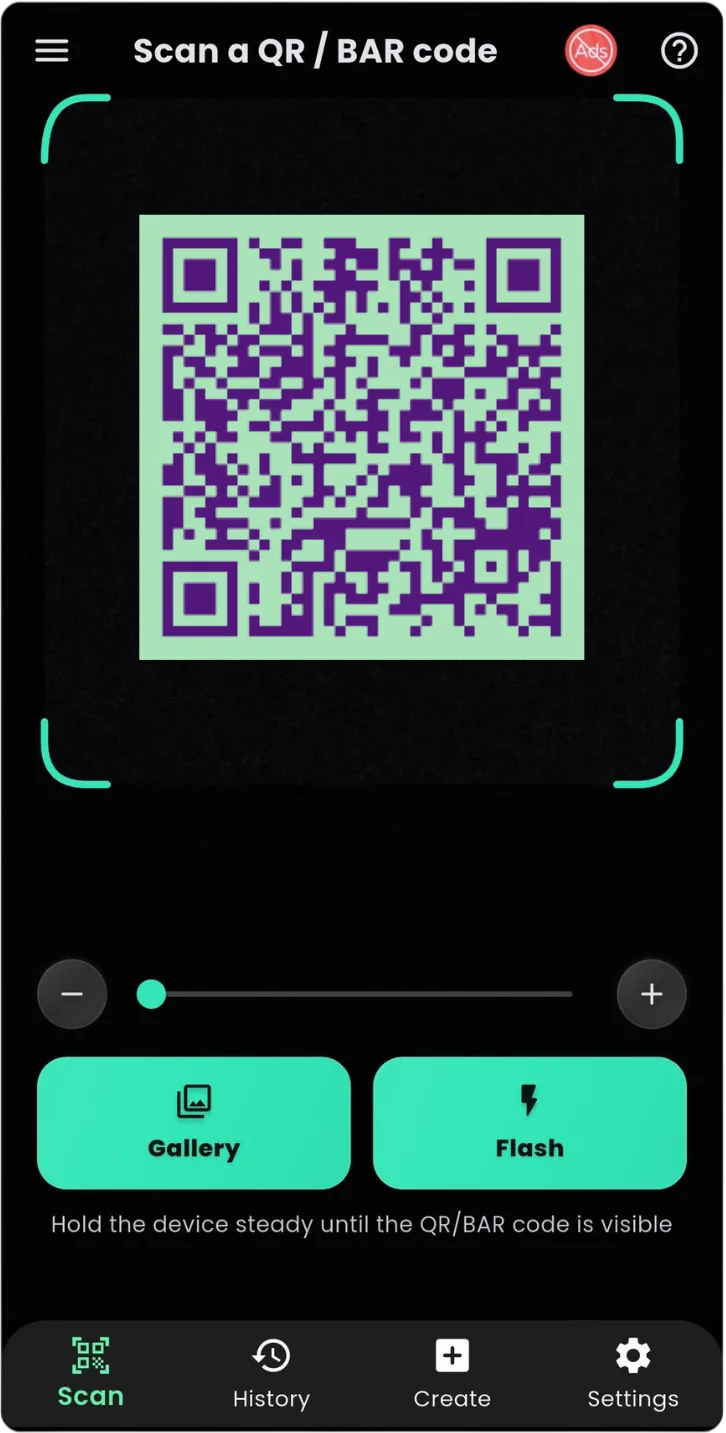
Smart QR Scanner & Barcode Reader is a simple Android application designed to help users scan QR codes and barcodes quickly.
The app provides an easy way to access information stored inside digital codes.
Features include:
✓ QR code scanning
✓ Barcode reading
✓ Fast camera-based scanning
✓ Simple interface
✓ Quick access to scan results
✓ Convenient everyday scanning
Download Smart QR Scanner from Google Play:
👉 Smart QR Scanner & Barcode Reader
https://play.google.com/store/apps/details?id=com.byteblazestudios.qrcodescanner&hl=en
How to Scan a Barcode Using Smart QR Scanner
Follow these steps:
Step 1:
Install Smart QR Scanner from Google Play.
Step 2:
Open the application.
Step 3:
Allow camera permission.
Step 4:
Point your camera toward the barcode.
Step 5:
View the scanned result.
Scanning a barcode takes only a few seconds.
Benefits of Having a QR and Barcode Scanner on Your Phone
A scanner app can be useful because your smartphone is always available.
You can use it for:
Everyday Shopping
Quickly scan product codes while shopping.
Accessing Websites
Scan QR codes to open links instantly.
Sharing Information
Use QR codes for contacts, Wi-Fi details, and digital information.
Learning and Education
Access online resources from printed materials.
Tips for Better Barcode Scanning
Use Good Lighting
Clear lighting helps the camera recognize codes faster.
Keep Your Camera Steady
A stable camera improves scanning accuracy.
Clean Your Camera Lens
Dust or fingerprints can affect scanning quality.
Scan the Entire Code
Make sure the complete barcode or QR code appears inside the scanner area.
Frequently Asked Questions
Can I scan product barcodes with my Android phone?
Yes. A barcode scanner app allows Android users to scan many types of product codes.
Is a QR scanner the same as a barcode scanner?
Not exactly. QR codes and barcodes use different formats, but many modern scanner apps support both.
Do barcode scanners need internet?
The scanning process usually does not require internet. Internet may only be needed if the scanned result opens online content.
Can I use my phone as a barcode reader?
Yes. Your Android phone camera combined with a scanner app can work as a barcode reader.
Final Thoughts
Barcodes and QR codes have made accessing information faster and easier. With a smartphone, anyone can quickly scan digital codes without needing specialized hardware.
A reliable QR code and barcode scanner app for Android can help with shopping, product information, and everyday tasks.
If you need a simple way to scan QR codes and barcodes, try:
📱 Smart QR Scanner & Barcode Reader
Download now:
👉 https://play.google.com/store/apps/details?id=com.byteblazestudios.qrcodescanner&hl=en
Scan faster. Access information instantly.