How to Calculate BMI and Understand Your Body Mass Index
Maintaining a healthy lifestyle starts with understanding your body. One of the most common ways to evaluate the relationship between your height and weight is through BMI (Body Mass Index).
A BMI calculator app makes it easier to calculate your BMI instantly without performing manual calculations.
Whether you are working on fitness goals, monitoring your weight, or simply learning more about your health, understanding BMI can help you get useful insights about your body.
What Is BMI?
BMI stands for Body Mass Index.
It is a measurement that compares your weight with your height to estimate whether your weight is within a healthy range.
BMI is commonly used as a general health indicator because it provides a simple way to categorize body weight.
The calculation uses two main values:
- Height
- Weight
By entering these details into a BMI calculator, you can quickly find your BMI value.
How Is BMI Calculated?
The BMI formula is:
BMI = Weight (kg) ÷ Height² (m²)
For example:
If a person weighs 70 kg and has a height of 1.75 meters:
BMI = 70 ÷ (1.75 × 1.75)
The result gives the person's BMI value.
Instead of calculating manually, a BMI Calculator app for Android can provide the result instantly.
Understanding BMI Categories
BMI results are commonly divided into different categories:
Underweight
A lower BMI value may indicate that a person weighs less than the recommended range for their height.
Normal Weight
A BMI within the healthy range generally indicates a balanced relationship between height and weight.
Overweight
A higher BMI value may suggest that weight is above the recommended range.
Obesity Range
A significantly higher BMI value may indicate increased health risks.
BMI categories are only general guidelines and do not replace professional medical advice.
Why Use a BMI Calculator App?
Calculating BMI manually every time can be inconvenient.
A dedicated BMI calculator app provides a faster and easier solution.
Benefits include:
✓ Instant BMI calculation
✓ Simple health tracking
✓ Easy weight monitoring
✓ Quick results
✓ Convenient access anytime
A mobile BMI calculator allows you to check your BMI wherever you are.
BMI Calculator: A Simple Health Tool for Android
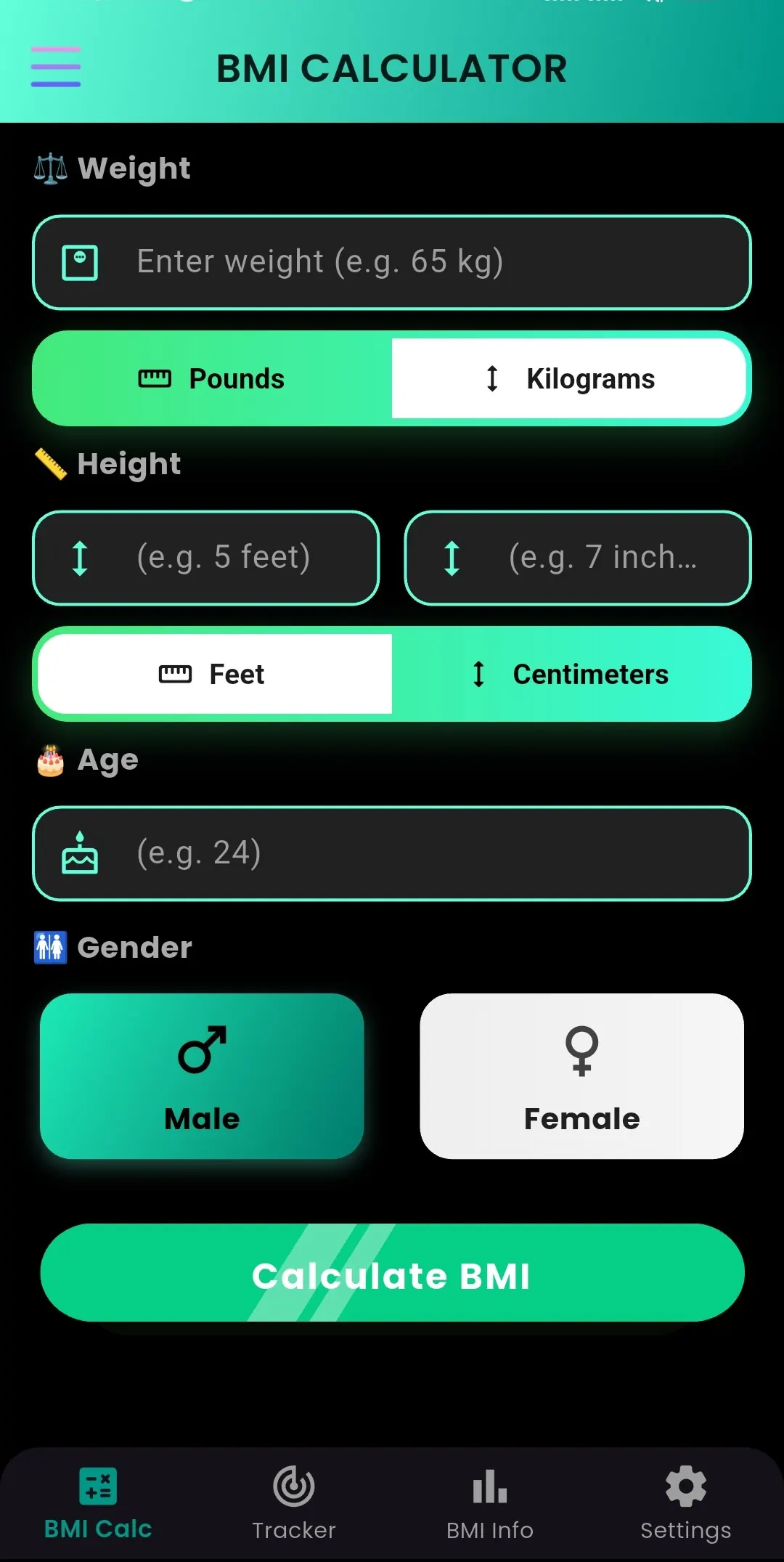
BMI Calculator by Byte Blaze Studios is designed for Android users who want a simple way to calculate their Body Mass Index.
The app provides an easy experience for users who want to understand their BMI based on their height and weight.
With the app, you can:
✓ Calculate BMI quickly
✓ Check your BMI category
✓ Track your health progress
✓ Use a simple and clean interface
Download BMI Calculator:
👉 BMI Calculator
https://play.google.com/store/apps/details?id=com.byteblazestudios.bmicalculator&hl=en
Who Can Use a BMI Calculator?
A BMI calculator can be useful for many people.
Fitness Beginners
People starting their fitness journey can use BMI as a basic measurement to understand their current status.
Weight Management Users
People working toward weight goals can regularly check changes in their BMI.
Health-Conscious Individuals
Anyone interested in learning more about their body measurements can use a BMI calculator.
Gym and Workout Users
Fitness enthusiasts can use BMI information along with exercise and nutrition plans.
BMI Calculator vs Manual Calculation
| Manual Calculation | BMI Calculator App |
|---|---|
| Requires formula knowledge | Instant results |
| More chance of mistakes | Automatic calculation |
| Takes more time | Takes seconds |
| Need to remember formula | Easy mobile access |
A calculator app makes BMI tracking simple for everyone.
How BMI Helps With Fitness Goals
BMI can be used as a starting point when planning health improvements.
It can help you:
- Understand your current weight category
- Set realistic goals
- Monitor progress over time
- Discuss health goals with professionals
However, BMI does not measure everything about health. Factors such as muscle mass, body composition, lifestyle, and genetics can also affect overall health.
Tips for Maintaining a Healthy Lifestyle
Stay Physically Active
Regular movement and exercise support overall wellness.
Eat Balanced Meals
A nutritious diet helps maintain healthy body weight.
Monitor Your Progress
Tracking measurements can help you understand changes over time.
Stay Consistent
Small daily habits often create long-term results.
Why Choose BMI Calculator App?
A good health calculator should be simple and easy to use.
The BMI Calculator app provides:
- Simple design
- Quick calculations
- Easy navigation
- Convenient health tracking
It is built for users who want a straightforward way to calculate BMI on Android.
Frequently Asked Questions
What is BMI?
BMI (Body Mass Index) is a measurement that compares weight and height to estimate body weight category.
How do I calculate my BMI?
You can calculate BMI using the formula weight divided by height squared, or use a BMI calculator app for instant results.
Is BMI completely accurate?
BMI is a general measurement and may not consider factors like muscle mass or body composition.
Can I calculate BMI on my phone?
Yes. A BMI calculator app allows you to calculate BMI quickly using your smartphone.
Final Thoughts
Understanding your BMI is a simple first step toward becoming more aware of your health and fitness goals.
Instead of calculating manually, a BMI Calculator app for Android makes checking your Body Mass Index faster and easier.
If you want a simple way to calculate your BMI anytime, try:
📱 BMI Calculator
Download now:
👉 https://play.google.com/store/apps/details?id=com.byteblazestudios.bmicalculator&hl=en
Take control of your health journey with a simple BMI calculation.