How a BMI Calculator Can Help Track Your Weight Loss Journey
Starting a weight loss or fitness journey requires understanding where you are currently and tracking your progress over time.
Many people focus only on the number shown on a weighing scale, but body health involves more than just weight. One simple measurement that helps people understand their weight in relation to their height is BMI (Body Mass Index).
A BMI calculator app makes it easier to calculate and monitor your BMI anytime from your smartphone.
Whether you are trying to lose weight, maintain your current condition, or improve your fitness habits, BMI can be a useful starting point.
What Is BMI and Why Does It Matter?
BMI stands for Body Mass Index.
It is a measurement calculated using your:
- Weight
- Height
The result provides a general indication of whether your weight falls into categories such as underweight, normal weight, overweight, or obesity ranges.
BMI is commonly used because it is:
- Simple to calculate
- Easy to understand
- Useful for tracking changes over time
A BMI calculator helps you get results instantly without remembering formulas.
How BMI Can Support Weight Loss Goals
A successful fitness journey requires tracking progress.
A BMI calculator can help you:
1. Understand Your Current Position
Before creating a fitness plan, it is helpful to know your current BMI.
This gives you a basic idea of your current weight category and helps you set realistic goals.
2. Monitor Changes Over Time
Weight loss is a gradual process.
Checking your BMI regularly can help you observe changes as your:
- Weight changes
- Fitness habits improve
- Lifestyle becomes healthier
Tracking progress can keep you motivated.
3. Set Realistic Fitness Goals
Many people set unrealistic targets because they do not understand their current condition.
A BMI calculator can help create more practical goals based on your height and weight.
BMI Calculator vs Manual Calculation
Many people avoid calculating BMI because they think the formula is complicated.
The BMI formula is:
BMI = Weight (kg) ÷ Height² (m²)
However, using a BMI calculator app for Android makes the process much easier.
| Manual Calculation | BMI Calculator App |
|---|---|
| Need to remember formula | Automatic calculation |
| Takes more time | Instant result |
| Higher chance of mistakes | Accurate calculation |
| Requires calculator | Available anytime |
A mobile app makes health tracking more convenient.
BMI Categories Explained
BMI results are generally grouped into different ranges.
Underweight
A lower BMI value may indicate that weight is below the recommended range.
Normal Weight
A BMI within this range generally indicates a balanced relationship between height and weight.
Overweight
A higher BMI value may suggest that weight is above the recommended range.
Obesity Range
A significantly higher BMI may indicate increased health risks.
Remember that BMI is only one measurement. Factors like muscle mass, body composition, age, and lifestyle also affect overall health.
How to Use BMI Calculator for Fitness Tracking
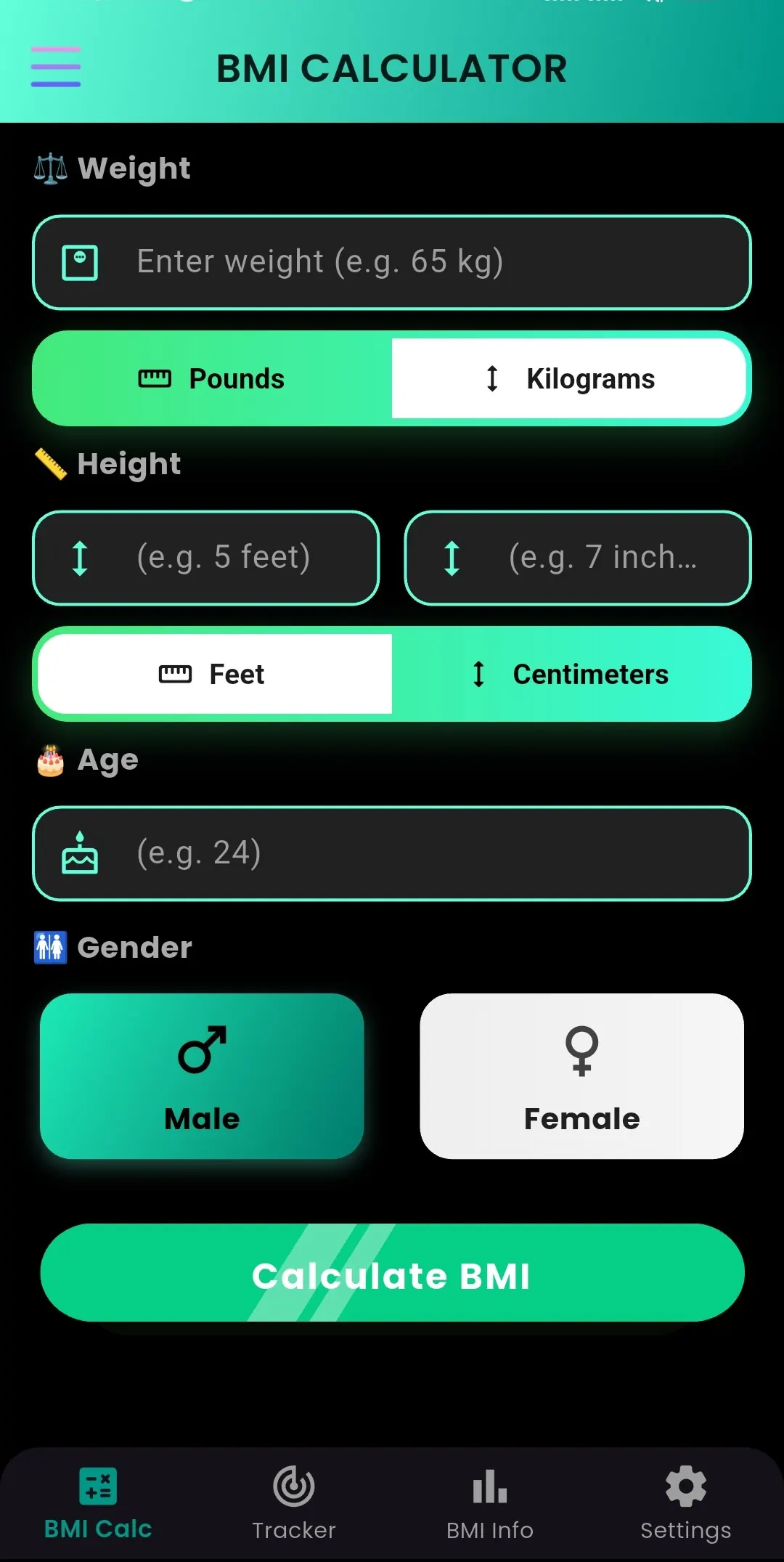
Using a BMI calculator is simple:
Step 1:
Enter your height.
Step 2:
Enter your weight.
Step 3:
Calculate your BMI.
Step 4:
Check your BMI category.
Step 5:
Track changes as your fitness journey continues.
A consistent tracking habit can help you stay aware of your progress.
BMI Calculator: A Simple Health App for Android
BMI Calculator by Byte Blaze Studios is designed for users who want a quick and easy way to calculate their Body Mass Index.
The app provides a simple interface for checking BMI without complicated steps.
With BMI Calculator, you can:
✓ Calculate BMI instantly
✓ Understand your BMI category
✓ Monitor your health progress
✓ Access calculations anytime
Download BMI Calculator:
👉 BMI Calculator
https://play.google.com/store/apps/details?id=com.byteblazestudios.bmicalculator&hl=en
Healthy Habits That Support Weight Management
A BMI number alone does not create a healthier lifestyle. Daily habits play an important role.
Stay Active
Regular exercise helps improve overall fitness.
Examples:
- Walking
- Cycling
- Strength training
- Sports activities
Maintain a Balanced Diet
Eating nutritious foods supports healthy weight management.
A balanced diet may include:
- Vegetables
- Fruits
- Protein sources
- Whole grains
- Healthy fats
Track Your Progress
Monitoring your changes helps you understand what works for your body.
You can track:
- Weight changes
- BMI changes
- Fitness improvements
- Lifestyle habits
Who Should Use a BMI Calculator?
A BMI calculator can be useful for:
People Starting Fitness
Understand your starting point before creating health goals.
Weight Management Users
Monitor changes during a weight loss journey.
Gym Enthusiasts
Track body measurements alongside workouts.
Health-Conscious People
Stay aware of your body measurements.
Important Things to Remember About BMI
BMI is a helpful general measurement, but it does not show everything about your body.
For example:
- Athletes may have higher BMI because of muscle mass.
- Two people with the same BMI may have different body compositions.
BMI should be used as a general guide, not as the only measurement of health.
Frequently Asked Questions
Can BMI help with weight loss?
BMI can help you understand your current weight category and track changes during your fitness journey.
How often should I check my BMI?
Many people check BMI periodically to monitor progress rather than checking multiple times every day.
Is BMI the same as body fat percentage?
No. BMI compares weight and height, while body fat percentage measures the amount of fat in your body.
Can I calculate BMI on my phone?
Yes. A BMI calculator app allows quick calculations directly from your Android device.
Final Thoughts
Tracking progress is an important part of any fitness journey. A BMI calculator provides a simple way to understand your body measurements and monitor changes over time.
Instead of manually calculating BMI, you can use a simple Android app to get results quickly.
Try:
📱 BMI Calculator
Download now:
👉 https://play.google.com/store/apps/details?id=com.byteblazestudios.bmicalculator&hl=en
Start tracking your fitness progress with a simple BMI calculation.